
Choose your format and page count below to see the pixel size and safe margins.
LinkedIn carousel sizes at a glance
| Format | Size | Our take |
|---|---|---|
| Portrait 4:5 | 1080 × 1350 px | Our default. More space on a phone. |
| Square 1:1 | 1080 × 1080 px | Simple designs, easy to reuse on Instagram. |
| Landscape 16:9 | 1920 × 1080 px | Slide-deck feel, better for desktop readers. |
What LinkedIn says (Help Center, checked on 10 Nov 2026):
- Documents accept PDF, PPT, PPTX, DOC and DOCX.
- Up to 100 MB and 300 pages.
- If pages have different sizes, they must be fit to the same page size.
- Converting to PDF gives the highest quality.
- One document per post.
The pixel sizes in the table are our recommendations. LinkedIn does not specify them.
Portrait or square for LinkedIn?
Portrait. A 4:5 page fills more of a phone screen, so text can be bigger. Use square if you plan to reuse the same slides on Instagram. Use landscape if you want a presentation-deck look. Whichever you pick, keep it the same on every page.
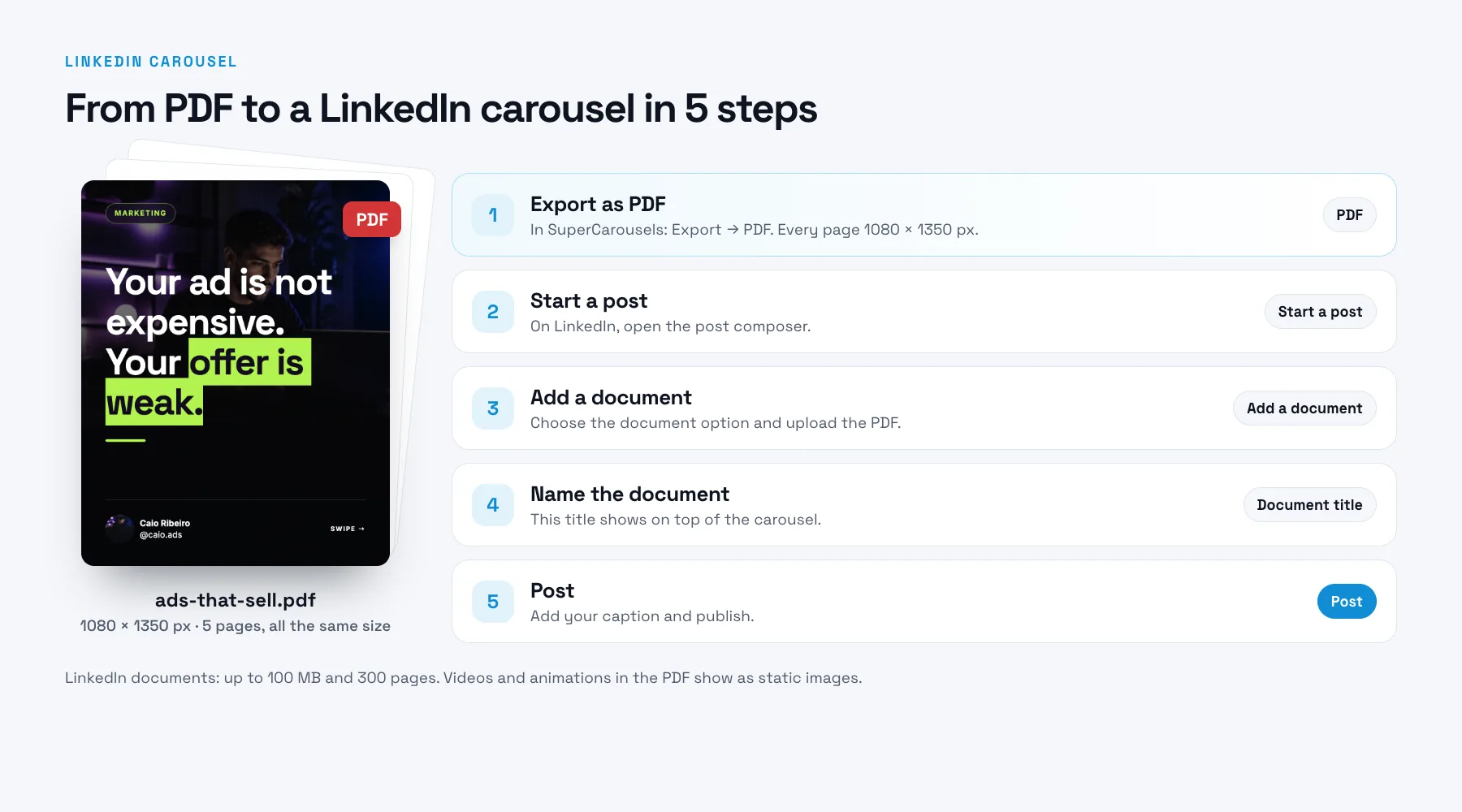
Make the PDF
- Design every page at the same size (1080 × 1350 px for portrait).
- Export one multi-page PDF. Give the file a readable name, because it appears as the document title.
- Open the PDF on your phone once to check page order and text size.
- On LinkedIn, start a post, add the document, write the post text and publish. On mobile the path is Post, then More, then Document.
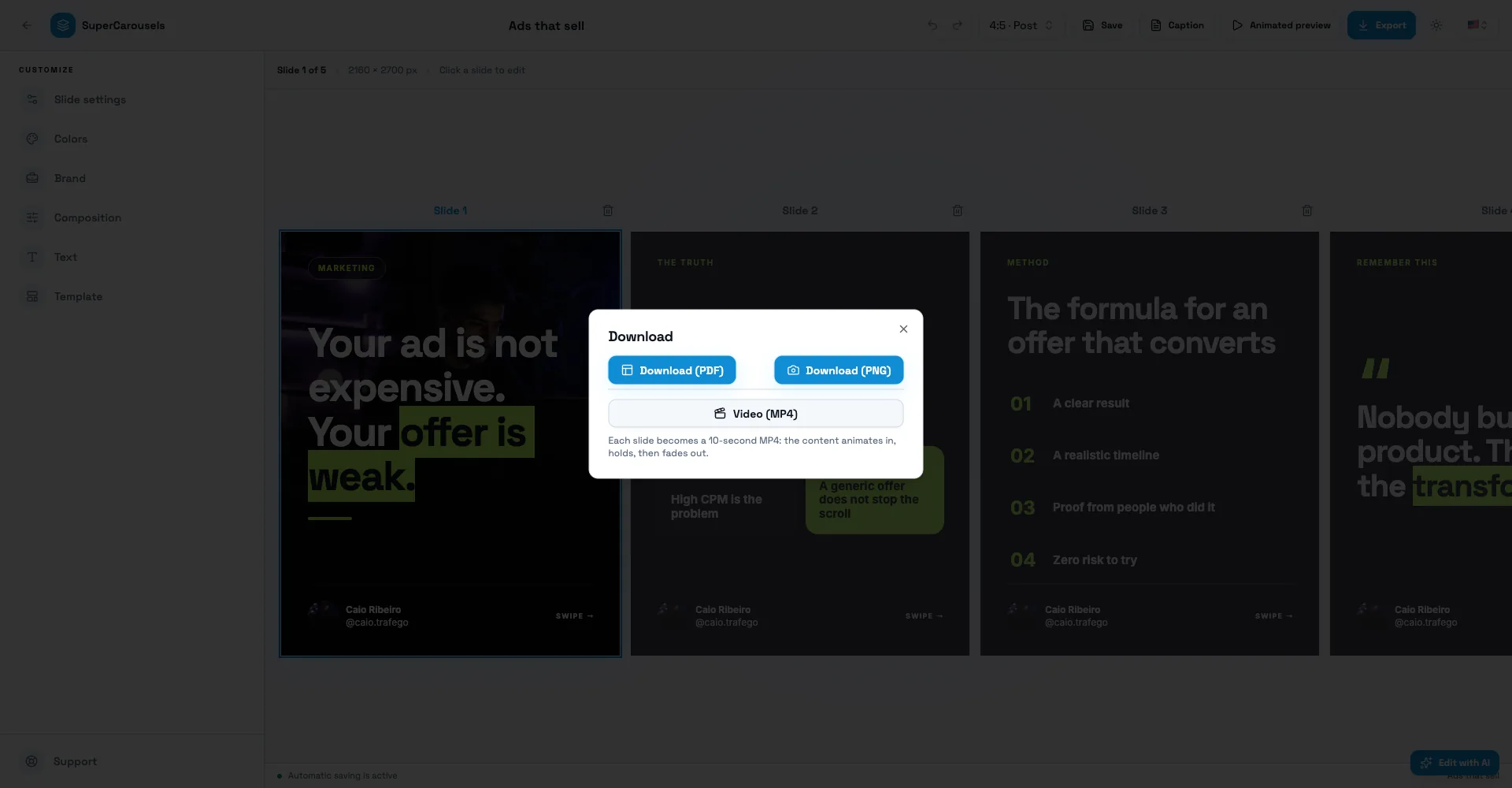
SuperCarousels exports PDF, so you can upload the file as it comes out of the editor. For the full publishing steps, see how to post a carousel on LinkedIn.
Export a 1080 × 1350 px PDF from SuperCarousels, then add it to a LinkedIn post as a document.
Safe margins
A good rule of thumb on a 1080 × 1350 page: about 80 px on the sides and 100 px at the top and bottom. Small text near the edge is the first thing to get lost on a phone. The calculator draws the margin for you.
Common mistakes
- Mixed page sizes. LinkedIn requires the same size on every page.
- Tiny text. If you can't read it on a phone at arm's length, it's too small.
- Huge files. Stay under 100 MB. Export for screen, not for print.
- Animations in the PDF. Videos and other animations in documents aren't supported and display as static images.
- Uploading in the wrong order. Open the PDF and check the pages before posting.
- More than one document. You can add only one document to a post.
Our recommendation
We recommend 1080 × 1350 px because a portrait page takes more of the phone screen and lets text be larger. This is a design recommendation, not a LinkedIn rule. If most of your readers are on desktop, a landscape page is a fair alternative.
Make the carousel itself
Once you know the size, the slow part is writing the pages. SuperCarousels writes the script and designs every slide from your idea, so you edit instead of starting from a blank page. The editor exports PDF, PNG and video. You download the file and post it on LinkedIn. Create this carousel with AI →

FAQ
What is the best size for a LinkedIn carousel?
We recommend 1080 × 1350 px (4:5) as a PDF. LinkedIn does not set a required size, only that all pages match.
What is the LinkedIn carousel size in pixels?
1080 × 1350 for portrait, 1080 × 1080 for square. Use the same on every page.
Is a LinkedIn carousel a PDF?
It is a document post, and LinkedIn recommends PDF for the best quality. It also accepts PPT, PPTX, DOC and DOCX.
How many pages can a LinkedIn carousel have?
Up to 300 pages. For most ideas, 8 to 10 is plenty.
What is the maximum file size?
100 MB.
Can I upload a carousel from my phone?
Yes. On the LinkedIn app, tap Post, then More, then Document.
What is the LinkedIn carousel size in cm or inches?
LinkedIn reads pixels, not cm. If your tool asks for print units, 1080 × 1350 px equals 11.25 × 14.06 in (28.6 × 35.7 cm) at 96 DPI.
Do animations work in a LinkedIn carousel?
No. Videos and other animations in documents display as static images.
Can I use the same carousel on Instagram?
Often yes, if you design at 1080 × 1350 and keep text inside the margins. See the Instagram carousel size guide.
Related free tools
Instagram Carousel Size
Get the exact slide and seamless canvas size for any Instagram carousel, with safe margins drawn for you.
TikTok Carousel Size
Get the photo size for a TikTok photo carousel in 9:16, 4:5 or 1:1, with the safe area drawn for you.
Instagram Safe Zone
See where Instagram's interface covers a Reel or Story and download a transparent safe zone template.
TikTok Safe Zone
See where TikTok's interface covers your video or photo and download a transparent safe zone template.
LinkedIn Headline Generator
Write a 220-character LinkedIn headline with AI from your role, in English, Portuguese or Spanish.